
KNOW YOUR GAME
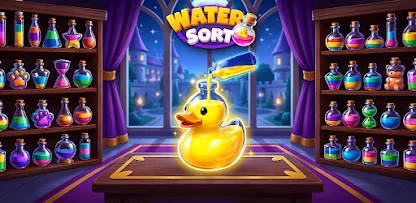
One color. One bottle. A satisfying plan.
The opening level introduces bottle-to-bottle pouring. The lower controls include shuffle, undo, and an extra bottle, each with an on-screen counter or prompt.
Sort the mixed liquid so each occupied bottle contains one color. A bottle is a stack, not a bag of colors. Only the exposed liquid is available. Scan each bottle from top to bottom and notice colors that appear in more than one place. Your first goal is often to uncover a matching layer rather than to finish a bottle immediately. A short preparation move can make two productive pours possible.
How to play Puzzle: Water Sort
- Find the bottles with the same exposed top color.
- Tap the source bottle and then a compatible destination.
- Pour into empty space or onto the same top color when the destination has room.
- Use the freed space to uncover and combine the remaining colors.
Tap a source bottle, then tap the bottle you want to pour into. Click the same way with a mouse.
A useful first strategy
Keep a buffer bottle
An empty bottle gives you somewhere to put a layer temporarily. If every bottle is occupied by an incompatible top color, progress can stop even though the board looks nearly sorted. Protect at least one buffer when the level gives you enough room. If you must use it, decide how it will become empty again before pouring.
Capacity is part of the puzzle
Do not assume that a matching destination can accept everything you intend to move. Check the available room. The game resolves pours according to its own layer and capacity rules. Watch the result of the first pour before planning a long chain, especially on a level with a bottle shape or capacity you have not seen before.
Get the full guide, examples & practiceQuestions about Puzzle: Water Sort
Can I pour a color buried in the middle?
No. Move the liquid above it first so the required color becomes exposed.
Why does a matching bottle refuse a pour?
It may be full. Check the destination capacity as well as its top color.
Is clearing browser data safe for progress?
It can remove locally stored progress and preferences. Do not clear site data as a first troubleshooting step if you want to keep your save.
Before you leave the game
Games may keep progress or settings in this browser. We do not provide an account-based cloud save. Use the same device and browser to return to a local save, and avoid clearing site data unless you understand what will be removed. If a helper or upgrade shows a prompt, read it before confirming.
Found an instruction that does not match your screen? Tell us the game name and what changed so we can check it.