KNOW YOUR GAME
Build the machine behind the battle.
The browser build opens with a gear-placement grid, a multiplier gear and unit shop, two resource counters, a campaign label, and a Fight On button. It is a preparation-and-battle strategy game, not a free-moving action shooter.
Build a functioning gear setup and use its output to support your side in the campaign. The opening screen divides your attention between the grid and the shop. Resist spending everything before understanding what one purchase changes. Place the tutorial gear, observe its motion, and compare the state of nearby gears. This gives you a baseline for evaluating later arrangements instead of treating every shop item as a simple damage increase.
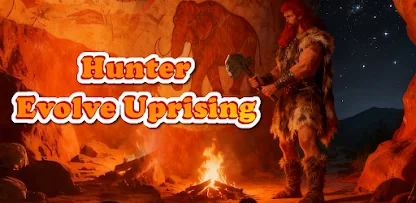
How to play Hunter: Evolve Uprising
- Complete the opening gear-placement tutorial.
- Inspect the shop, available resources, and the spaces on the gear grid.
- Place or adjust a gear and observe which parts of the setup are active.
- Select Fight On when ready, then use the battle result to plan your next change.
Follow the hand tutorial to place a gear on the grid. Use the shop and Fight On controls to prepare and begin a battle.
A useful first strategy
Make a connected plan
A crowded grid is not necessarily a productive one. Look at whether the gears you place actually participate in the working arrangement. After changing a position, watch the resulting motion and any displayed output. Use empty cells deliberately so that a useful connection remains possible when another piece becomes available.
Change one thing between battles
A battle result is easier to understand when you know what changed. Adjust one placement or make one purchase, then compare the next attempt. If you buy several items and rearrange the whole grid together, it becomes difficult to tell which choice helped or used resources without improving the setup.
Get the full guide, examples & practiceQuestions about Hunter: Evolve Uprising
Can I control a hunter with WASD?
The opening browser build is controlled through gear placement, preparation, and battle buttons. This guide does not assume keyboard movement.
What should I buy first?
Finish the tutorial and inspect the current prices and resources. The useful purchase depends on the arrangement you can actually operate.
Does a failed battle mean I need more items?
Not necessarily. Review the arrangement and the visible battle outcome before spending additional resources.
Before you leave the game
Games may keep progress or settings in this browser. We do not provide an account-based cloud save. Use the same device and browser to return to a local save, and avoid clearing site data unless you understand what will be removed. If a helper or upgrade shows a prompt, read it before confirming.
Found an instruction that does not match your screen? Tell us the game name and what changed so we can check it.